Install Windows 11 without MS Account
Windows 11 requires you to have a Microsoft account to install Windows. There are a couple of work arounds for this but the easiest way is to bypass the requirement.
Before you install Windows make sure your Ethernet cable is disconnected. Once you start the Windows 11 setup process, Hold down the Shift and hit the F10 key.
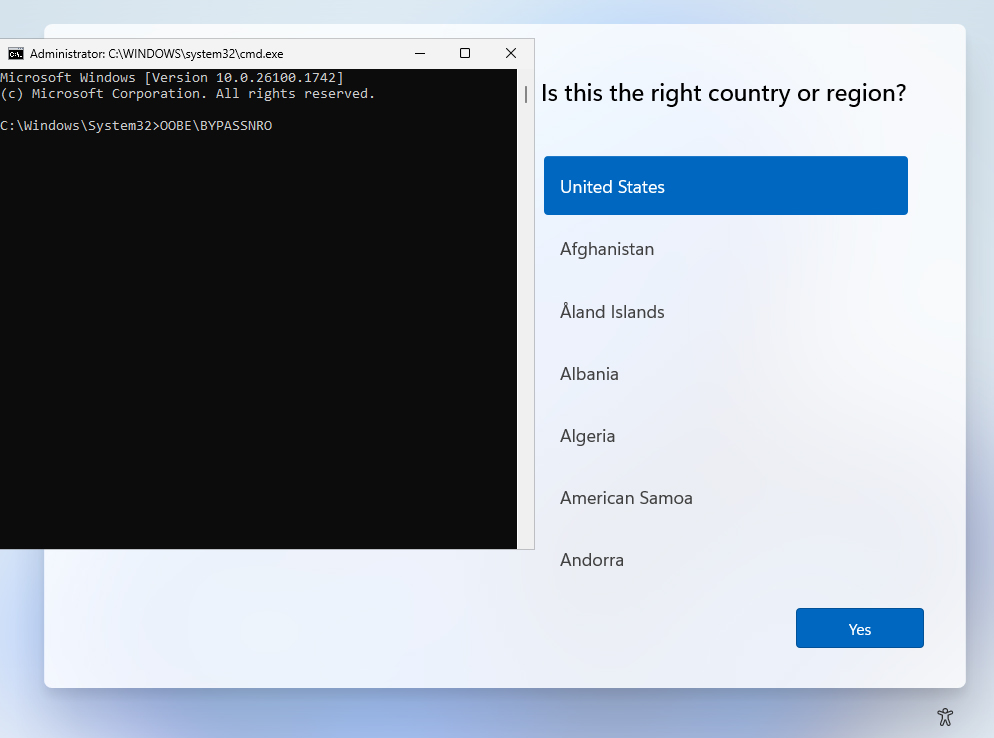
A Command Window will open. Type in OOBE\BYPASSNRO (no spaces) and hit the Enter key. You computer will restart and begin the setup process again but with a new option: “I don’t have Internet”
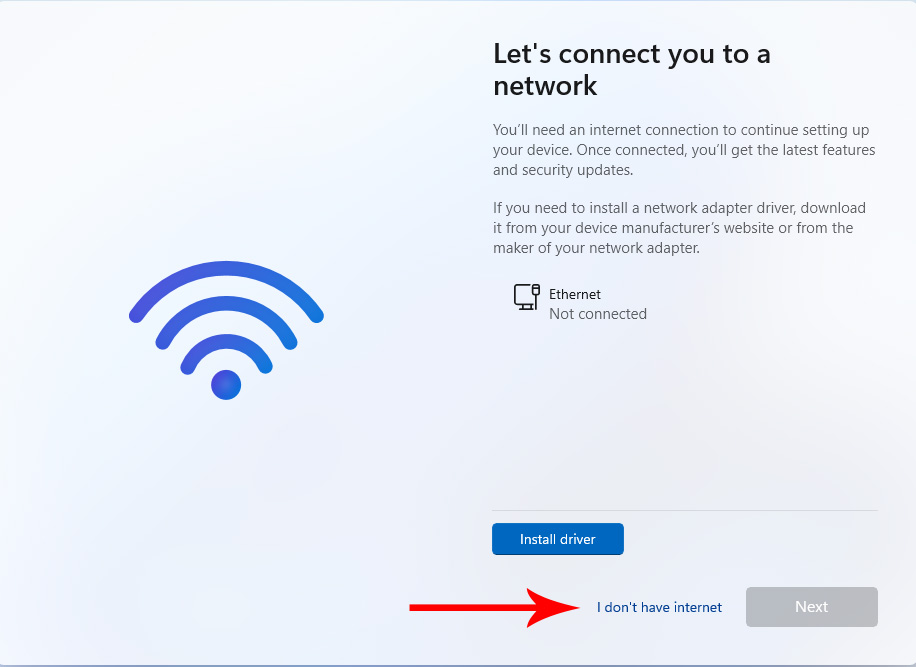
Click on “I don’t have Internet” and you can continue setting up Windows 11 without the need to tie the computer to a Microsoft account.